
First: do nothing for ten minutes
The instinct is to fix it immediately. Log out and back in, try another browser, reset the password, create a replacement. Every one of those makes the situation worse, and the last one can make it unrecoverable.
Restrictions are usually decided by an automated system that is now watching this account more closely than it was yesterday. Frantic activity is exactly the signal it is looking for.
Read the message you were given first. It matters more than anything you do next.
Work out which kind you got
The wording differs by platform, but restrictions fall into four groups and they have very different outlooks.
| Type | Looks like | Realistic outlook |
|---|---|---|
| Verification | "Confirm your phone number", a photo check, a code | Usually fine — complete it properly |
| Temporary limit | "You cannot post for 24 hours", a feature disabled | Expires on its own; wait it out |
| Under review | Access suspended, appeal offered | Mixed — the appeal is worth writing |
| Permanent | "Violates our terms", account disabled | Rarely reversed; one appeal, then move on |
People conflate the first two with the last two and panic unnecessarily. A verification prompt is not a ban. It is the system asking you to prove you are the person it expected, and completing it honestly is nearly always the end of the matter.
The three mistakes
1. Creating a replacement immediately
The single most costly mistake, and the most common. A new account opened on the same computer, on the same connection, minutes after one was restricted, is the clearest possible signal of ban evasion. On most platforms that is a separate and more serious violation than whatever triggered the original restriction — and it will usually take the new account with it, sometimes along with others you had running fine.
If you need a replacement, it needs a genuinely separate device identity, a different connection, and a gap of days rather than minutes.
2. Appealing five times
Appeals are queued and, on the large platforms, largely triaged automatically. Submitting the same appeal repeatedly does not raise its priority; on several platforms it demonstrably lowers it, and on some it closes the case as spam.
Write one appeal. Write it carefully. Then wait the stated time before doing anything else.
3. Changing everything at once
New password, new email, new phone number, new device, new country — all within an hour of a restriction. Every one of those is a signal that the account may have been taken over. You have just made yourself look like the attacker.
Change nothing until the restriction is resolved, unless you have actual reason to think the account was compromised.
Writing an appeal that gets read
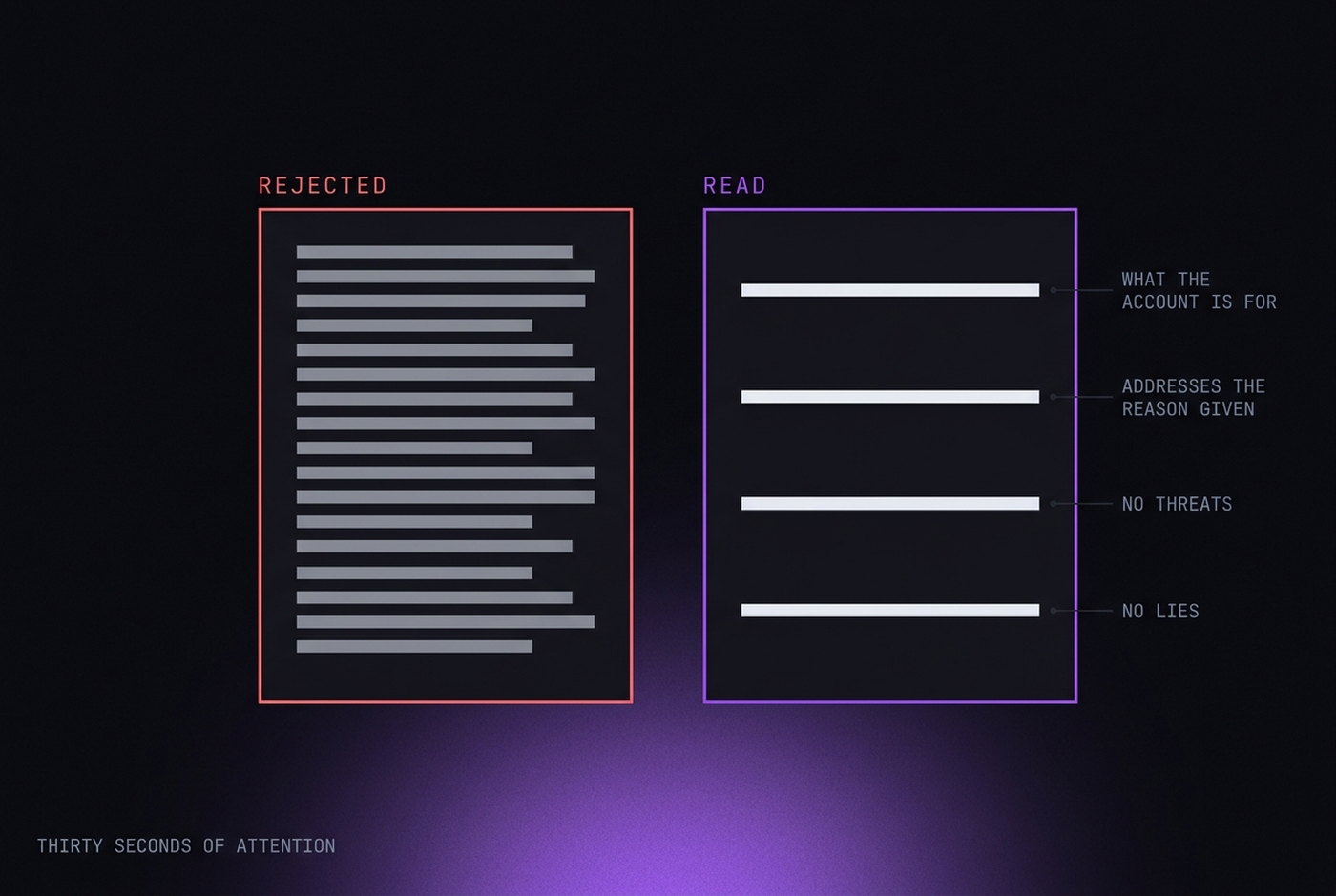
Assume the first pass is automated and the second is a human with roughly thirty seconds. Write for both.
- Be short. Three or four sentences. Long appeals get skimmed.
- Say what the account is for, plainly and specifically. "I run a small ceramics shop and use this account to post product photos" beats any amount of protest.
- Address the stated reason. If they cite unusual activity, explain the activity. If you do not know the reason, say so and ask which policy applies.
- No threats, no legal language, no all-caps. It changes nothing and it colours how the rest is read.
- Do not lie. If you were running several accounts, do not claim you were not. Platforms often know, and a demonstrable lie closes the door on the one route that was still open.
If the platform offers identity verification as part of the appeal, and the account is genuinely yours, do it. It is the strongest thing available to you and people avoid it out of a privacy instinct that, at this point, has already lost the argument.
While you wait
Two things worth doing that most people skip.
Work out what actually caused it. Not to argue, but so it does not happen twice. Ask yourself honestly: did another account get restricted around the same time? Did you log in from somewhere new? Did you share a payment method or a phone number with an account that had problems? Did you post something a filter could have misread? The cause is usually knowable.
Protect the accounts that are still fine. If the cause was a device link, the others on that device are exposed too. Do not open them from the same place while a review is running — and consider whether they should be on separate identities from now on. This article covers what platforms link on, and payment methods matter more than devices do.
When it is genuinely over
Sometimes it is, and recognising that early is worth more than another month of appeals.
Treat it as final if: the message says permanent and the appeal was rejected; the ban is tied to verified identity documents; or the platform has confirmed it in writing more than once. In those cases the account is not coming back, and services promising otherwise are selling you something they cannot deliver.
What is left is damage control, and it is not nothing:
- Export anything you can still reach. Most platforms allow a data download even from a restricted account.
- Tell the people who relied on the account, before they find out from a dead link.
- If it was a business account, get the assets — pixel, catalogue, domain — off any shared entity so the ban does not travel.
- Start the replacement properly: separate identity, separate connection, its own payment method, and give it time before it does anything that matters.
The last point is the whole lesson. Most people who lose a second account lose it because the replacement was built on the wreckage of the first.